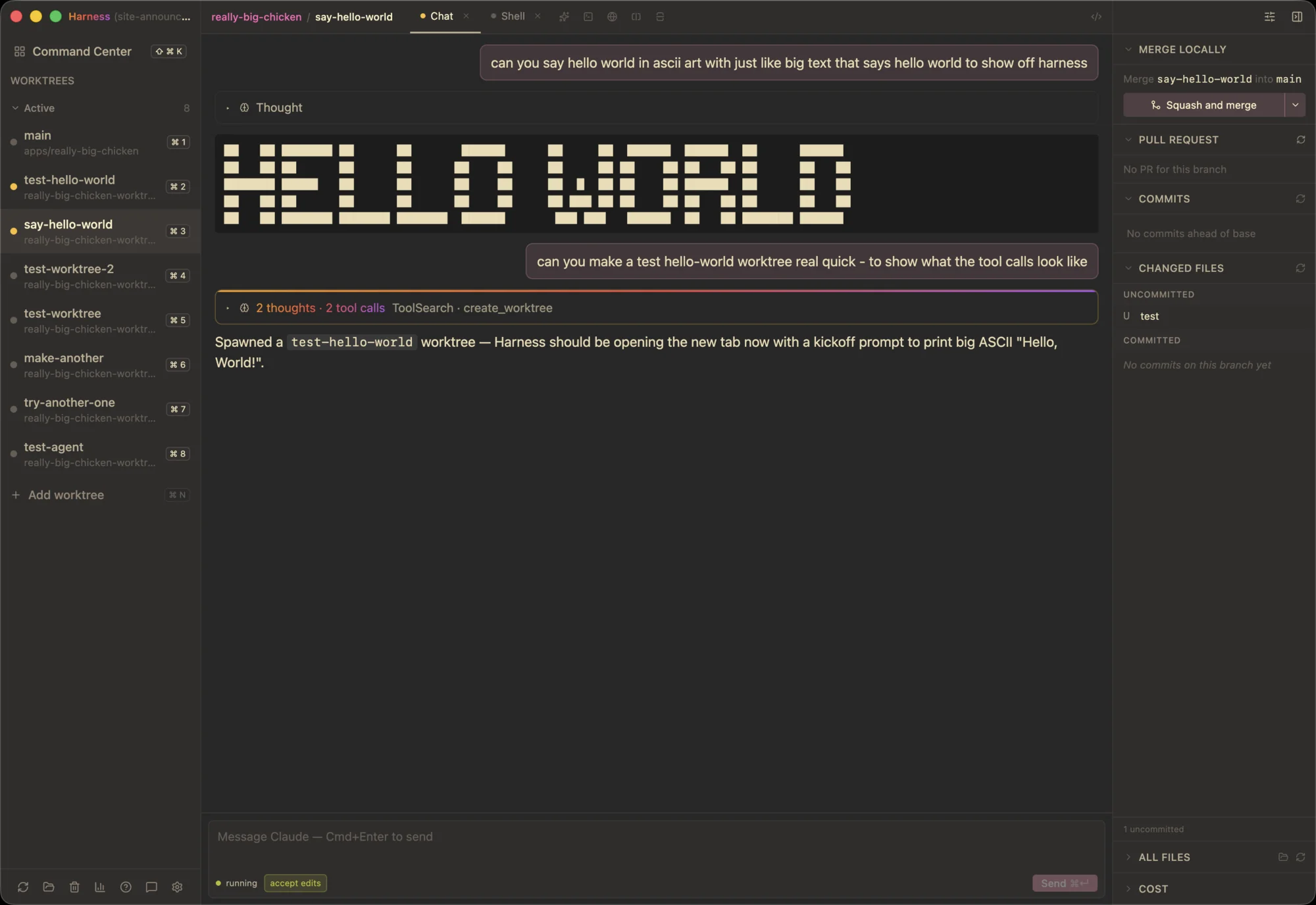
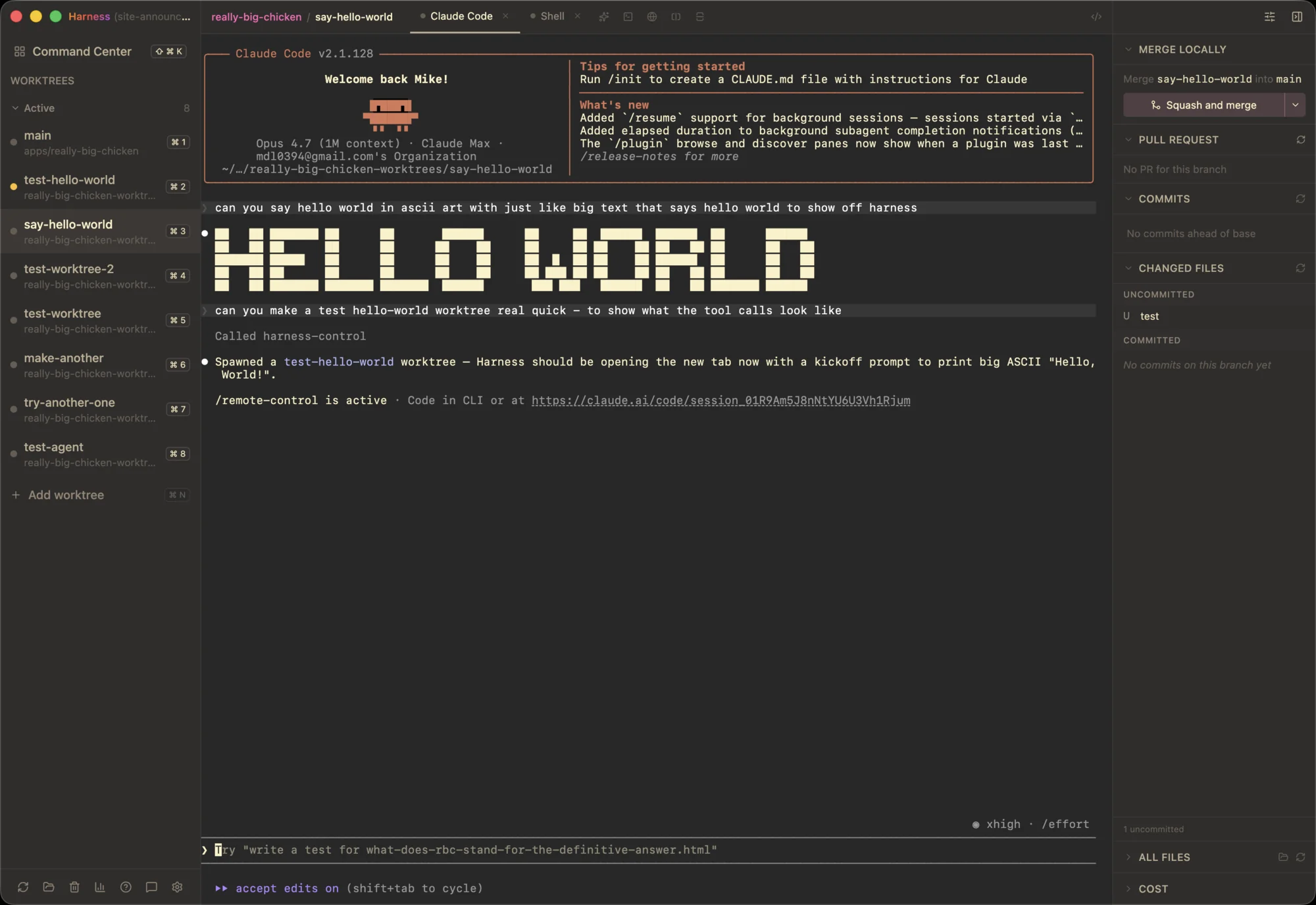
A real chat, not a terminal
Claude Code ships as a TUI. Resize the window and your
scrollback reflows. Every approval is > 1
against a wall of streamed text. Long tool calls bury the
conversation underneath their output.
Chat mode renders the same session as a React UI. Same binary, same config, same MCP servers. Messages are persistent DOM, not redrawn cells. Tool calls are collapsible cards. Approvals are inline buttons. The composer auto-grows up to eight lines and keeps attachments between sends.
What's different
Scrollback that survives
Resize the window or split the pane. Messages stay where they are. No reflow, no clipped tool output.
Inline approval cards
Every Bash or write shows up as a card with the command, named buttons, and an "allow this session" option for ones you'll OK repeatedly.
@-mentions for files
Type @ and pick from a fuzzy-matched file list. Attached as context, not pasted into prose.
Send-on-Enter, if you want it
Default is Enter for newline, ⌘↵ to send. Flip the setting if Enter should send instead.
Permission modes per chat
Start chats in accept edits, ask every time, or plan. Change mid-chat from the statusline picker.
Slept tabs save RAM
Chats you haven't touched in a while tear down their subprocess. Click to wake. History is intact, the agent spins back up.
Not a replacement
Terminal Claude isn't going anywhere. It's still the right option if you live in the TUI, run a beta build, or want the raw Claude Code CLI. In Ness it's now called Terminal mode. Existing tabs keep working.
Chat mode is a parallel option, pinned to a Claude Code
binary that ships with each Ness release. That keeps the
approval-card schema and streamed JSON shape stable between
updates. Both interfaces share ~/.claude/, so
auth and MCP are configured once.
Try it
Open Settings → Agent → Interface and pick Chat mode. New Claude tabs spawn into the chat UI from then on. To flip a single tab without changing the default, ⇧-click the "+" in the tab strip. Right-click an existing tab to switch its interface in place.
If you don't see it yet, update from the latest release.
Get the latest Ness
Chat mode ships in the current release. Free, open source, macOS for now.
Download for macOS